ZENADMIN Product Site

Business first. Security always.

One platform for tickets, inventory, remote access and log relays. The work gets done faster, and the audit evidence is already there.
The problem

Slow security
gets bypassed.

When the safe way is the slow way, people find another way. The business carries the risk, and the audit finds the gaps.

Business first

Three things
the business gets.

Faster work

People reach the right system in seconds. No hunting for passwords, no waiting on a colleague.

One platform

Tickets, inventory, remote access and log relays behind one sign-in, on one server or many.

Audit ready

Every session, approval and change is on record before anyone asks for it.

Security always

One way in.
Three steps.

Ask

Link the work to a ticket. Sensitive systems need a second person to approve.

Connect

Prove it is you. ZENADMIN signs in to the device, so nobody handles its password.

Prove

The session is recorded, logged and tied to the ticket without anyone writing it up.

Business first: no time lost finding work

One page.
Your whole day.

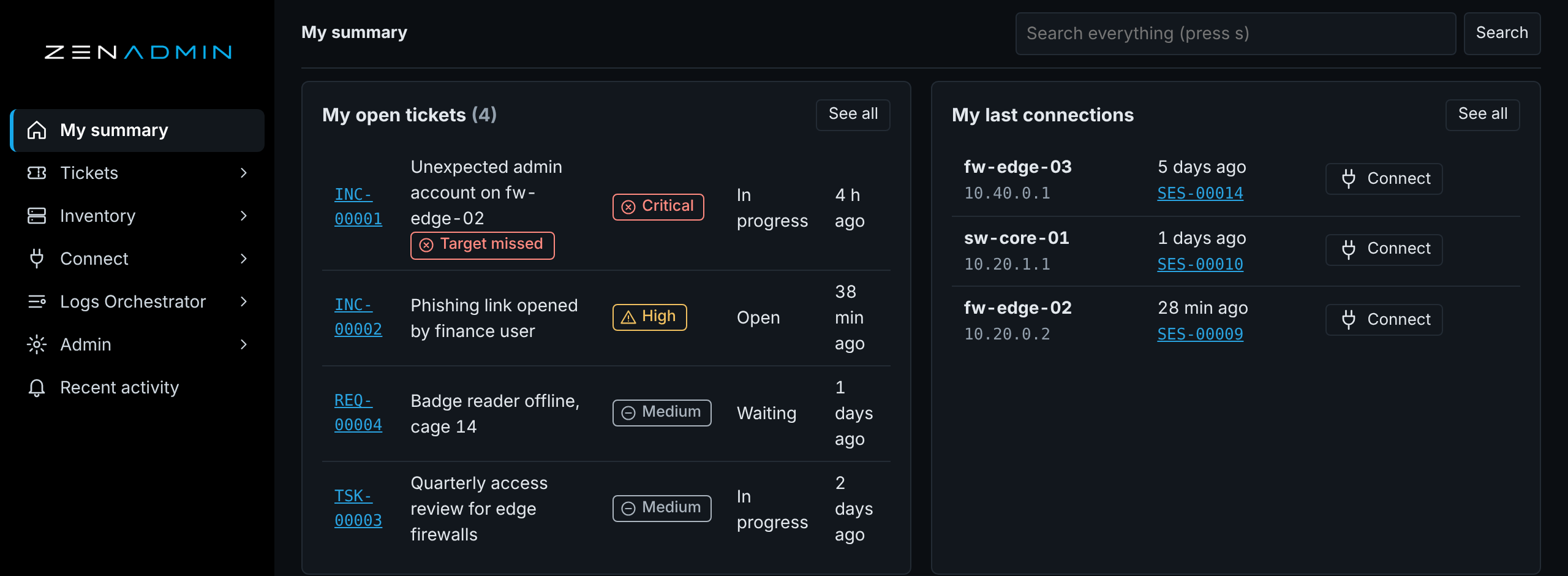
  • Your open tickets, with missed targets flagged.
  • Your last connections, one click to reconnect.
  • Approvals that are waiting for your answer.
Security alwaysISO 27001A.8.16NISTSI-4SOC 2CC7.2
My summary page with my open tickets, my last connections and a waiting approval
ZENADMIN 2.2.0 with sample data. Click to enlarge.
Business first: no waiting to start

Connected
in seconds.

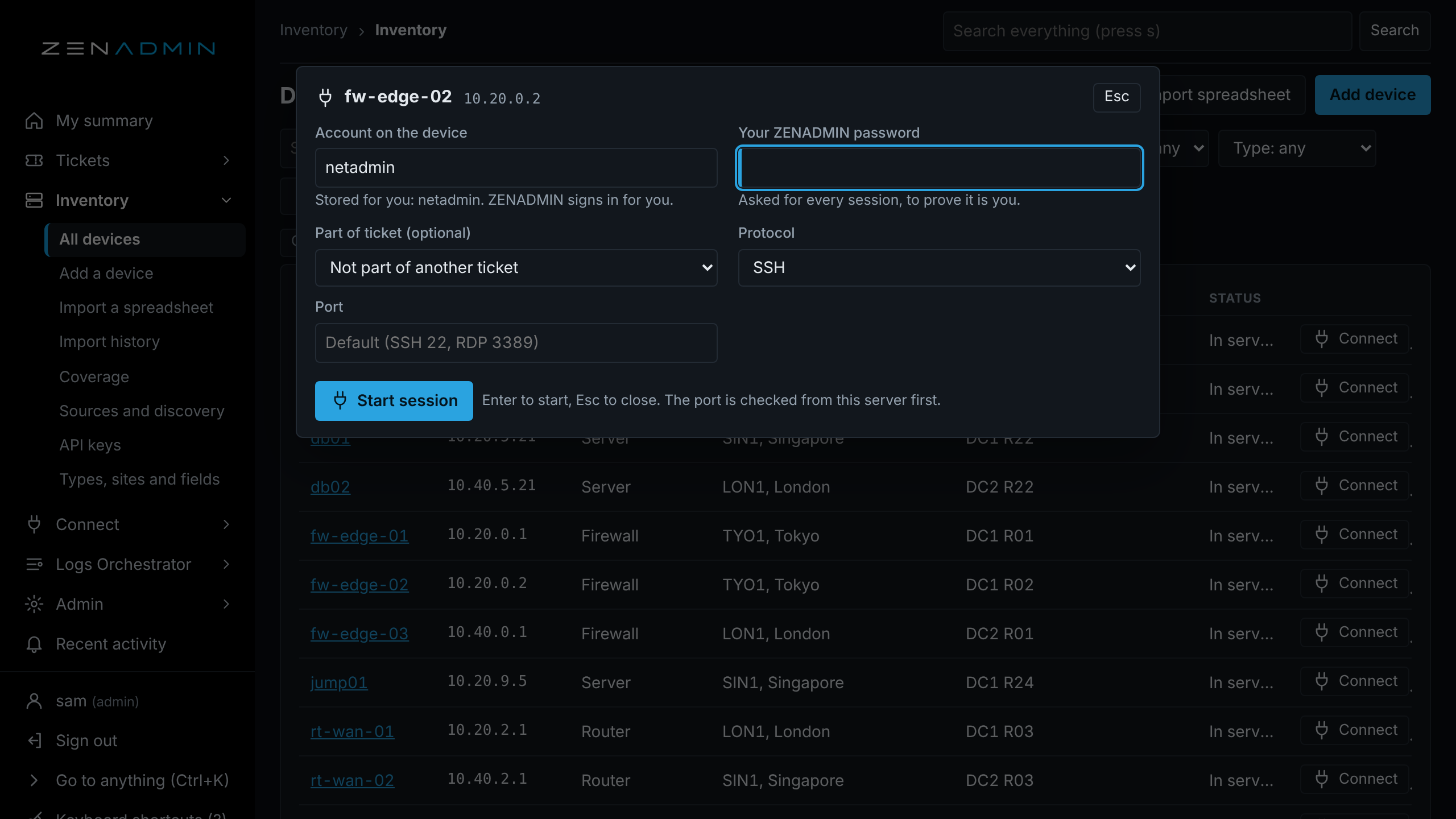
  • Click Connect on any device. The box opens over the page you are on.
  • The stored account is filled in, and ZENADMIN signs in for you.
  • Your own password, every session. Enter starts, Esc closes.
Security alwaysISO 27001A.8.5NISTIA-11SOC 2CC6.1
Connect box open over the device list, with the stored account filled in and the cursor in the password field
ZENADMIN 2.2.0 with sample data. Click to enlarge.
Business first: nothing in the way

Just
the terminal.

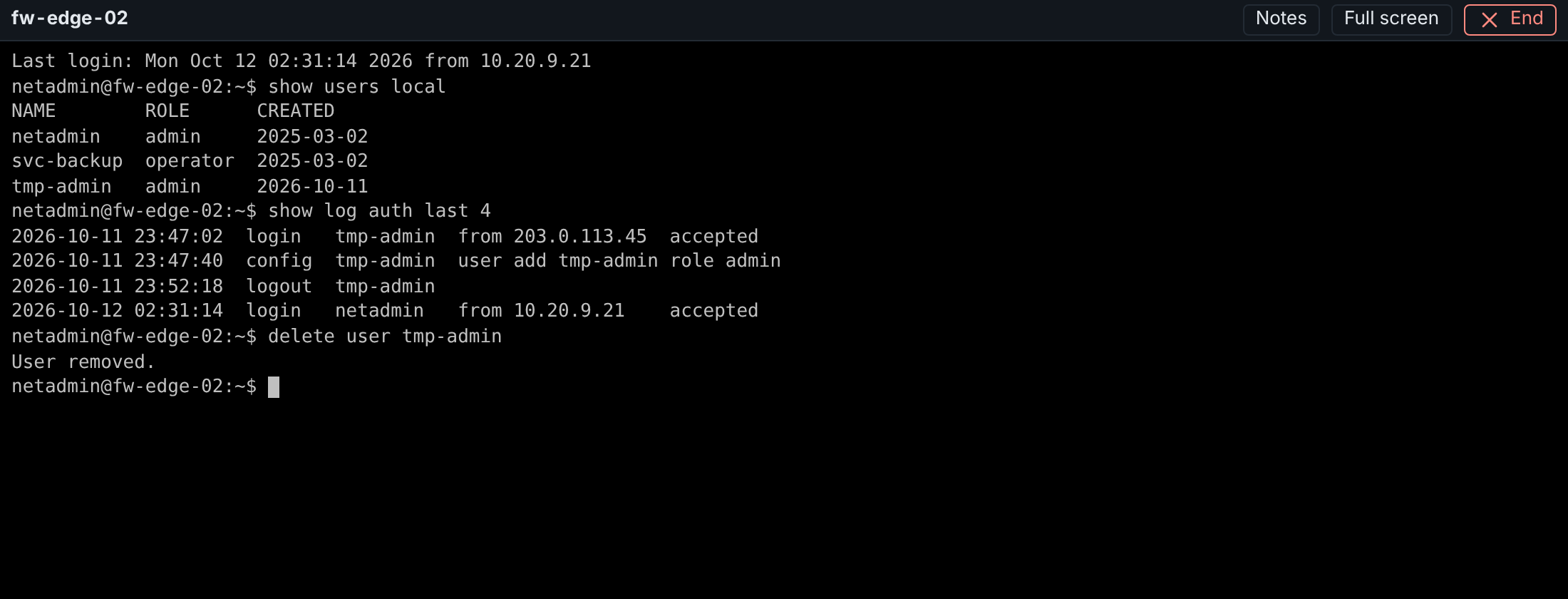
  • One thin bar: the device name, Notes, Full screen and End.
  • The rest of the window is the session itself.
  • Notes you type are saved to the session ticket.
Security alwaysISO 27001A.8.2NISTAC-17CIS5.4
Session window with a thin bar and a terminal session on fw-edge-02
ZENADMIN 2.2.0 with sample data. Click to enlarge.
Business first: no chasing passwords

Passwords
nobody sees.

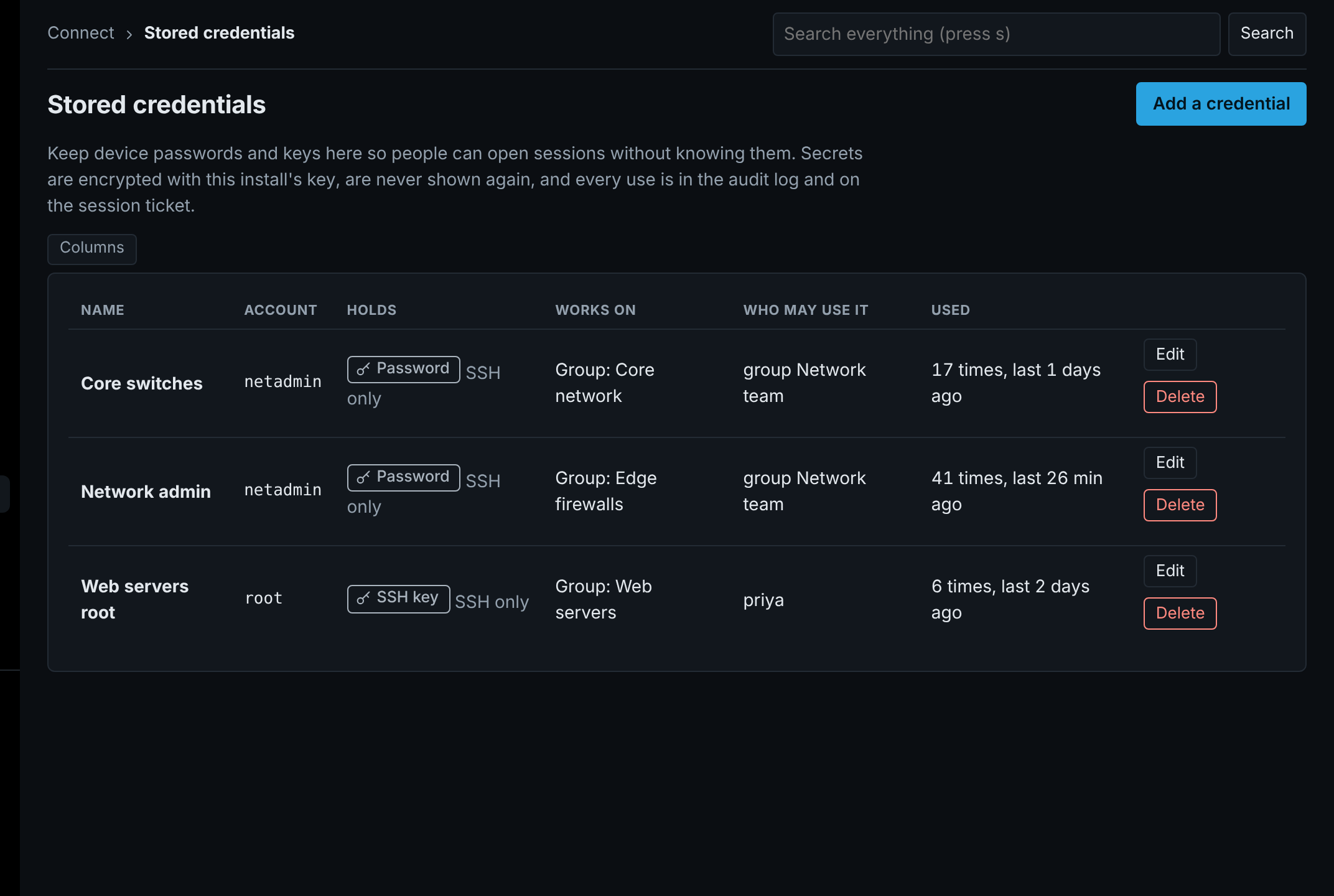
  • Encrypted and never shown again.
  • Each one lists who may use it and where it works.
  • Every use is counted and written to the audit log.
Security alwaysISO 27001A.5.17NISTIA-5PCI DSS8.2.2
Stored credentials list with account, what it works on, who may use it and how often it was used
ZENADMIN 2.2.0 with sample data. Click to enlarge.
Business first: approval in one click

A second person
for the risky ones.

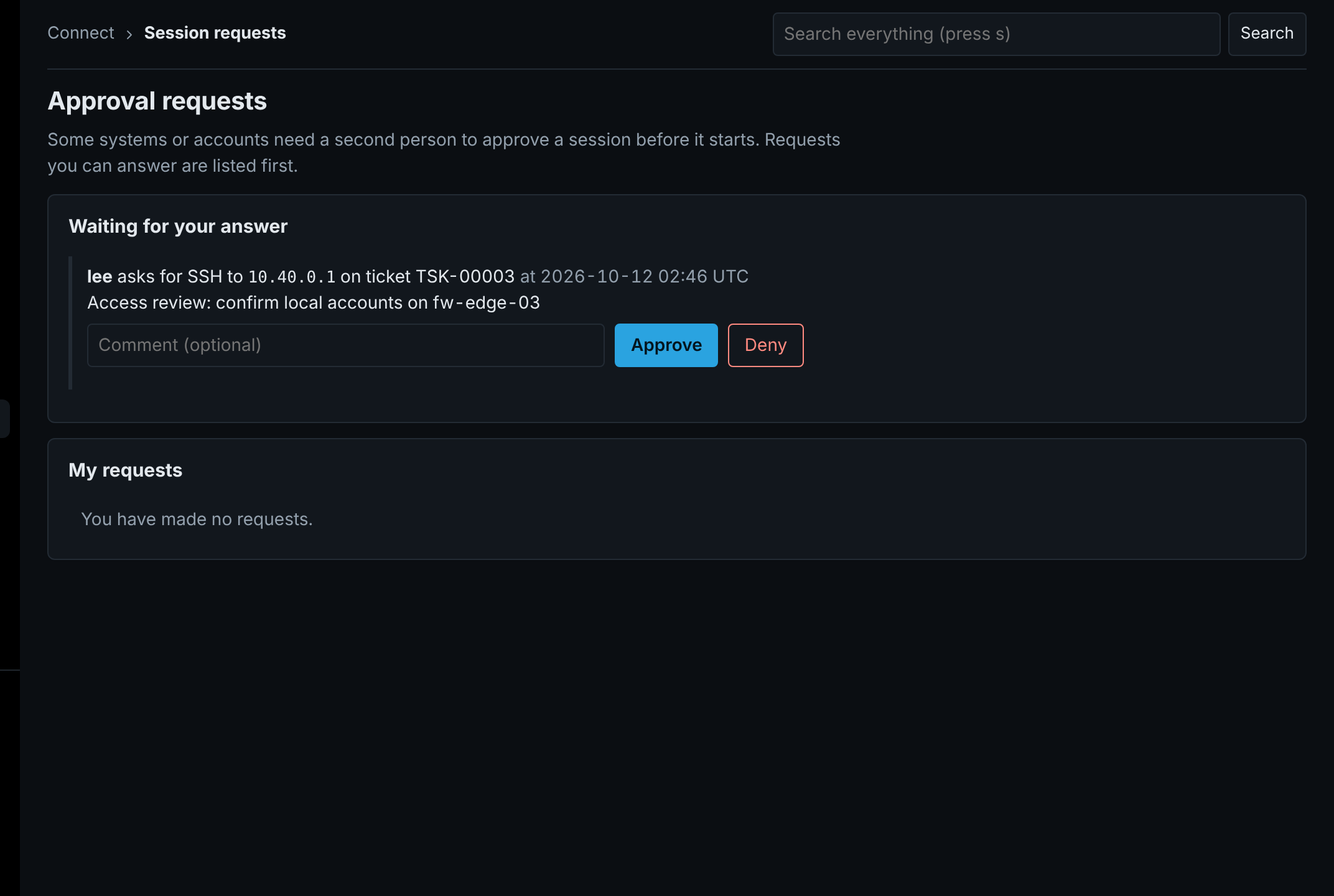
  • Marked systems need approval before a session starts.
  • The request shows who, which system, which ticket and why.
  • Approve or deny in one click, with a comment.
Security alwaysISO 27001A.5.3, A.8.2NISTAC-5SOC 2CC6.3
Approval requests page with one request waiting, a comment box and Approve and Deny buttons
ZENADMIN 2.2.0 with sample data. Click to enlarge.
Business first: nothing slips

Deadlines
in plain sight.

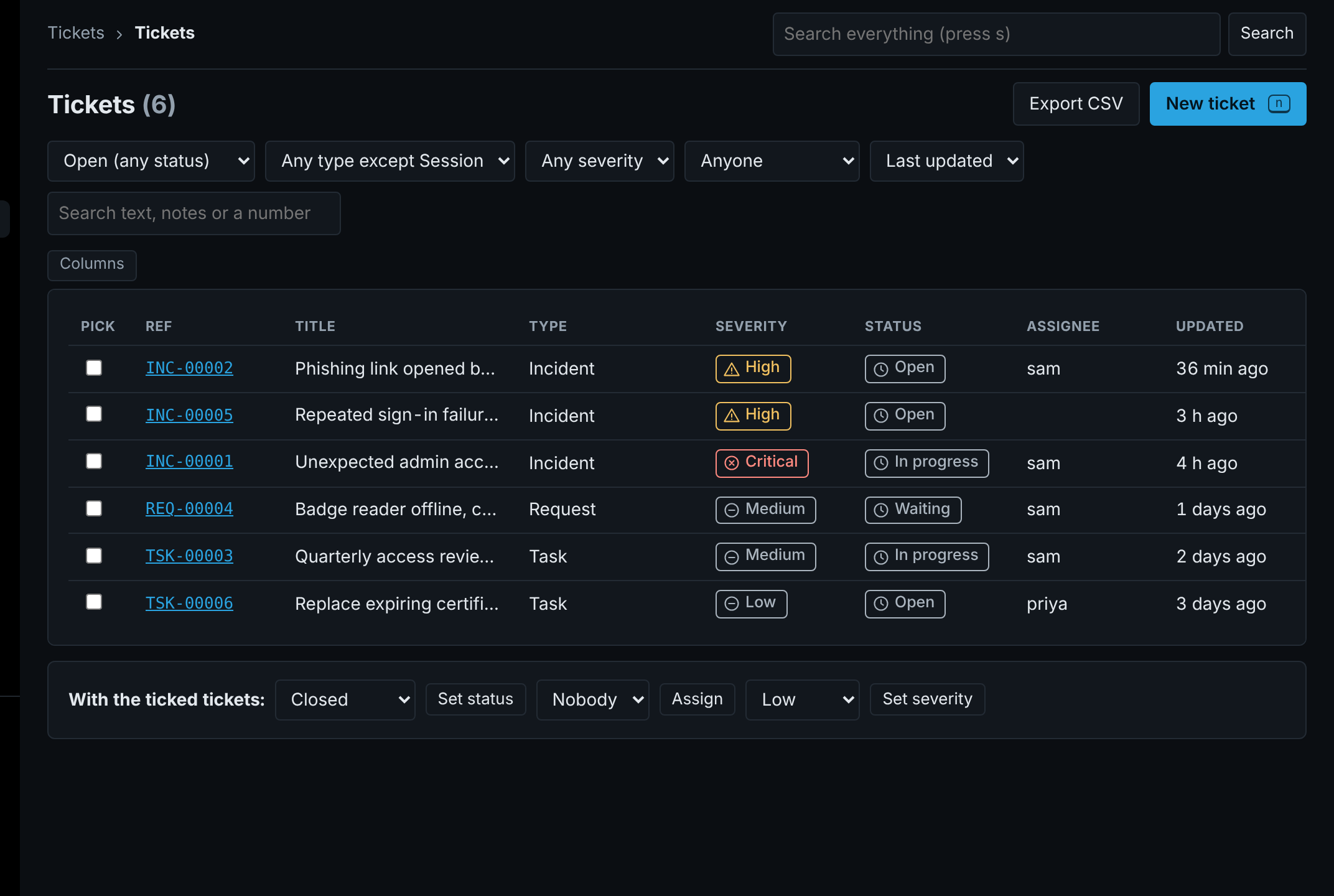
  • Every ticket on one line: type, severity, status and owner.
  • Tick several to set status, assign or set severity together.
  • Export the list in one click.
Security alwaysISO 27001A.5.24 to A.5.26NISTIR-4, IR-5PCI DSS12.10
Ticket list with type, severity, status, assignee, bulk actions and Export CSV
ZENADMIN 2.2.0 with sample data. Click to enlarge.
Business first: no write-up needed

The record
writes itself.

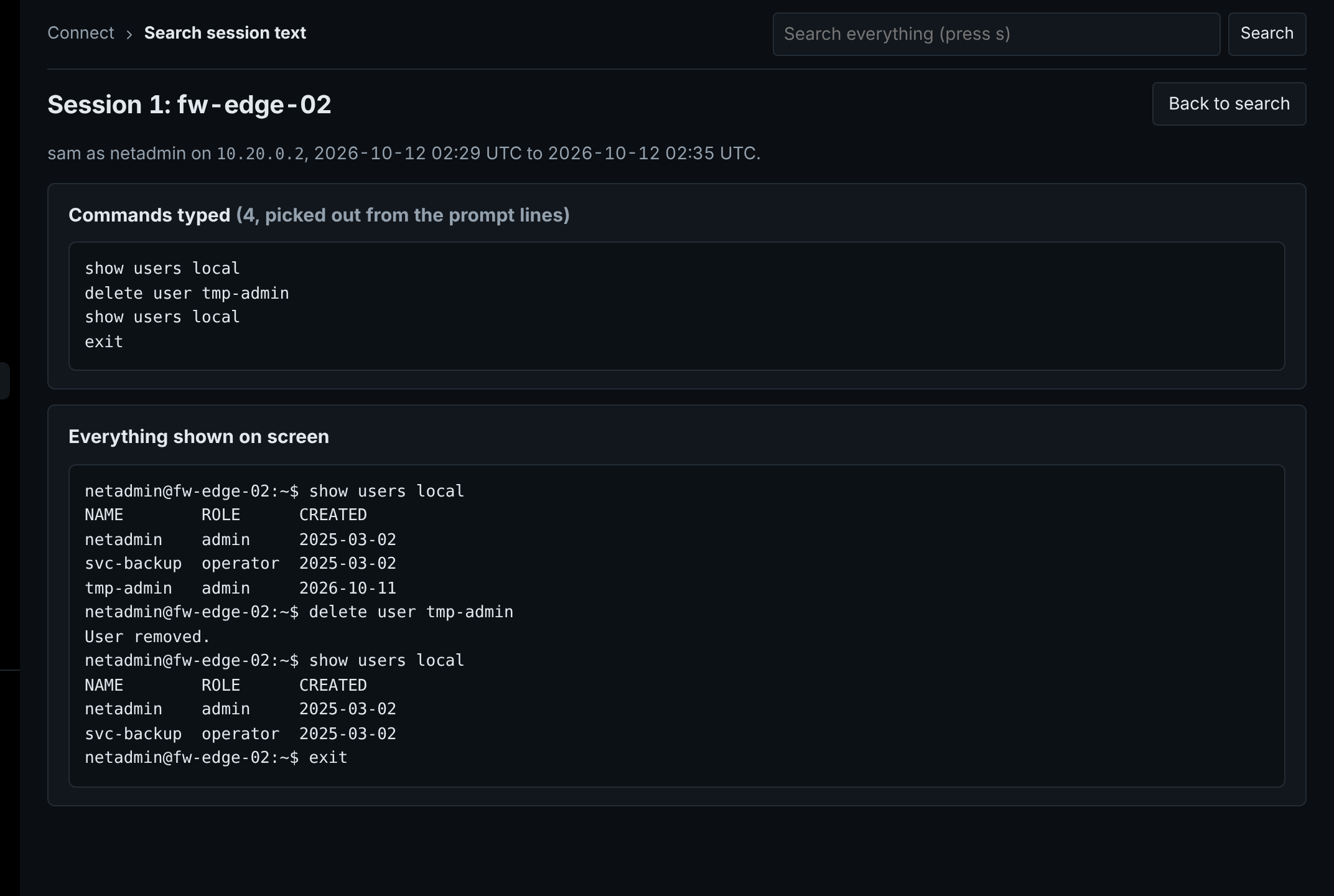
  • Who connected, as which account, to what, from when to when.
  • The commands typed, picked out for you.
  • Everything shown on screen, kept as text.
Security alwaysISO 27001A.8.15, A.5.28NISTAU-14PCI DSS10.2.1.2
Session text page with the commands typed and everything shown on screen
ZENADMIN 2.2.0 with sample data. Click to enlarge.
Business first: proof on demand

Watch it
back.

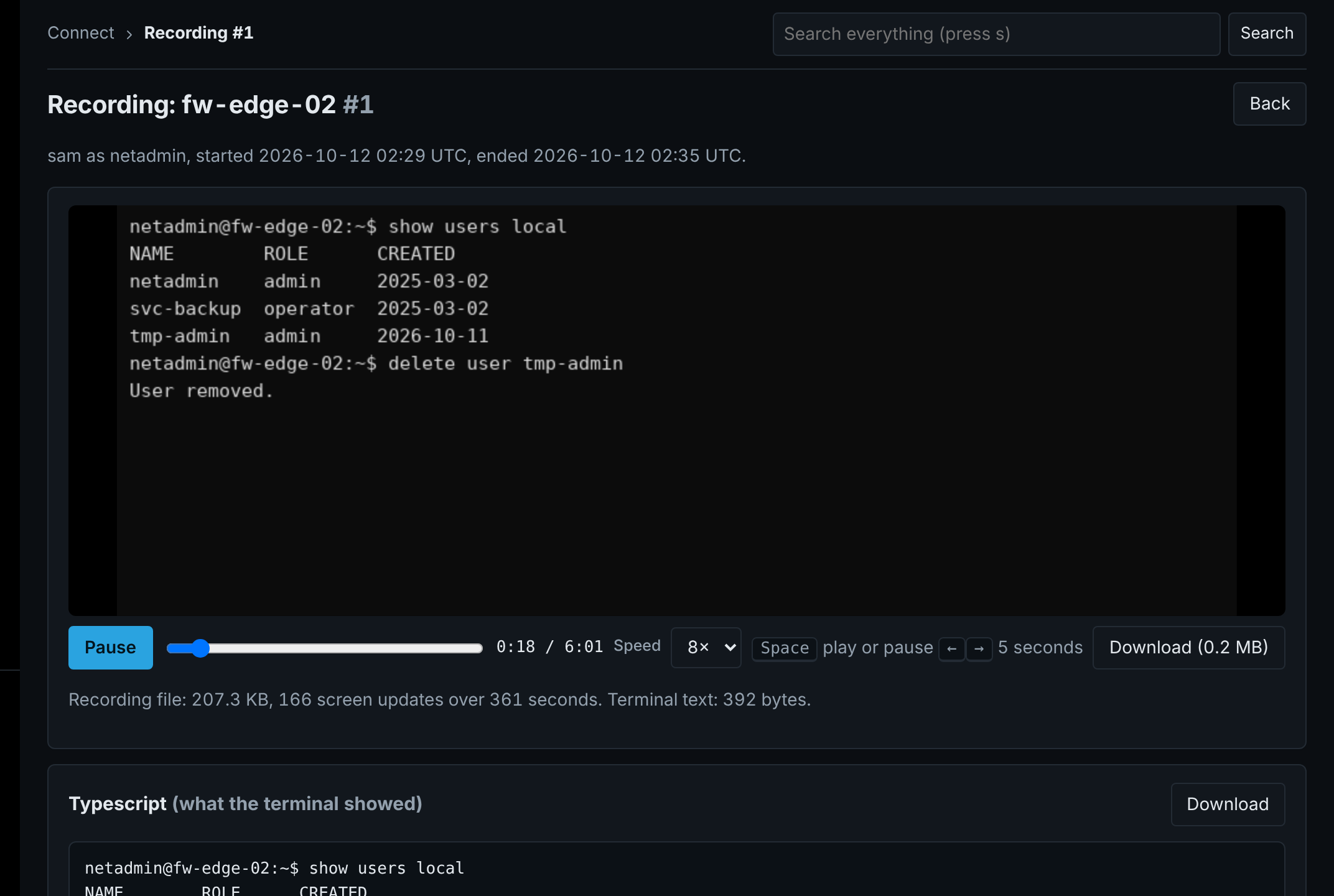
  • Every session can be played back.
  • Pause, seek and speed up to eight times.
  • Size, screen updates and length are shown, so you know it is complete.
Security alwaysISO 27001A.8.15NISTAU-14SOC 2CC7.3
Recording player playing back a session, with its size, screen updates and length
ZENADMIN 2.2.0 with sample data. Click to enlarge.
Business first: every session accounted for

Every session
tied to a ticket.

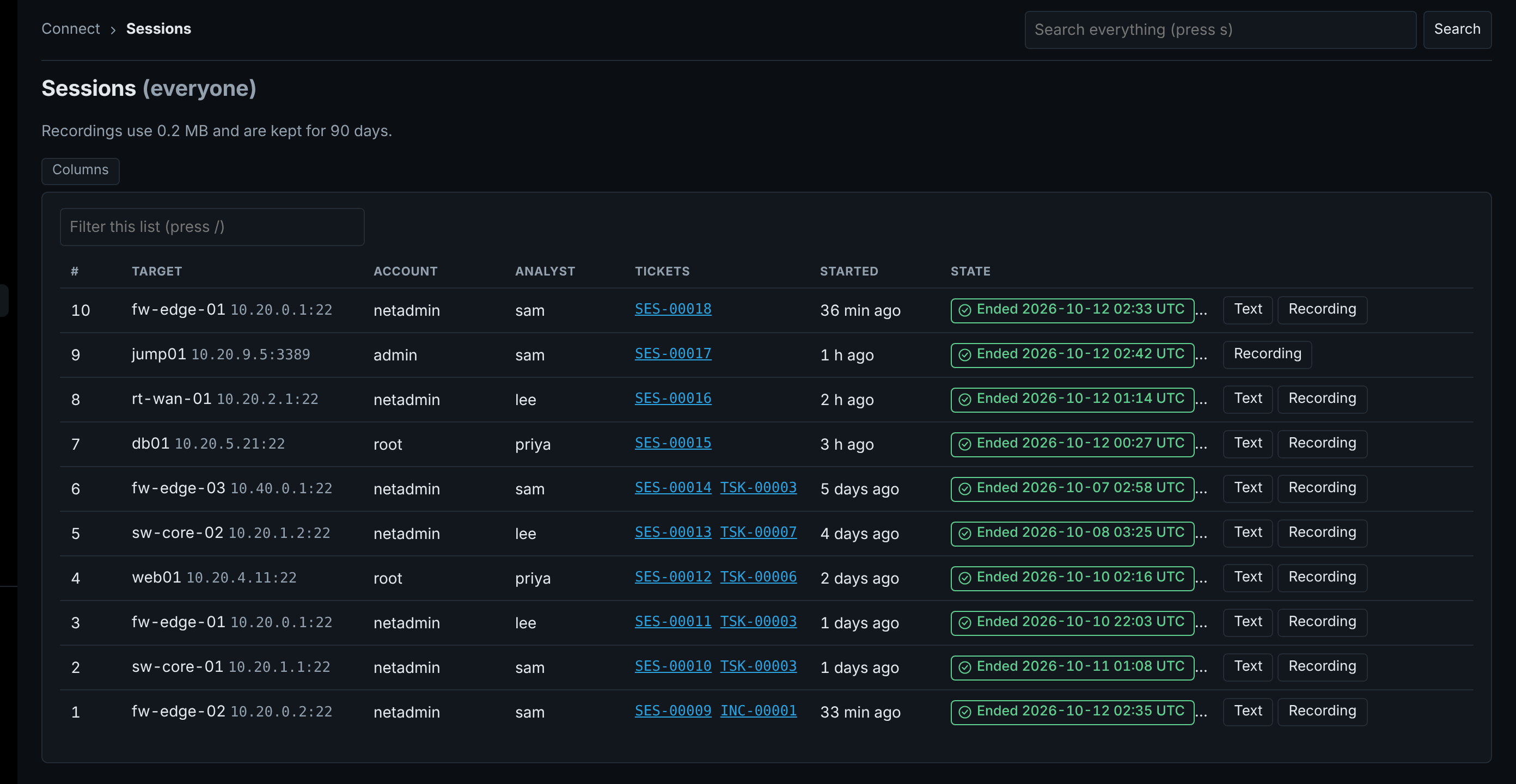
  • Each session links to its own ticket and the work behind it.
  • Account, analyst, start and state on one line.
  • Text and recording open from the list.
Security alwaysISO 27001A.8.15NISTAU-3, AU-12CIS8.2
Sessions list with account, analyst, linked tickets, state and Text and Recording buttons
ZENADMIN 2.2.0 with sample data. Click to enlarge.
Business first: short audits

The auditor asks.
You answer now.

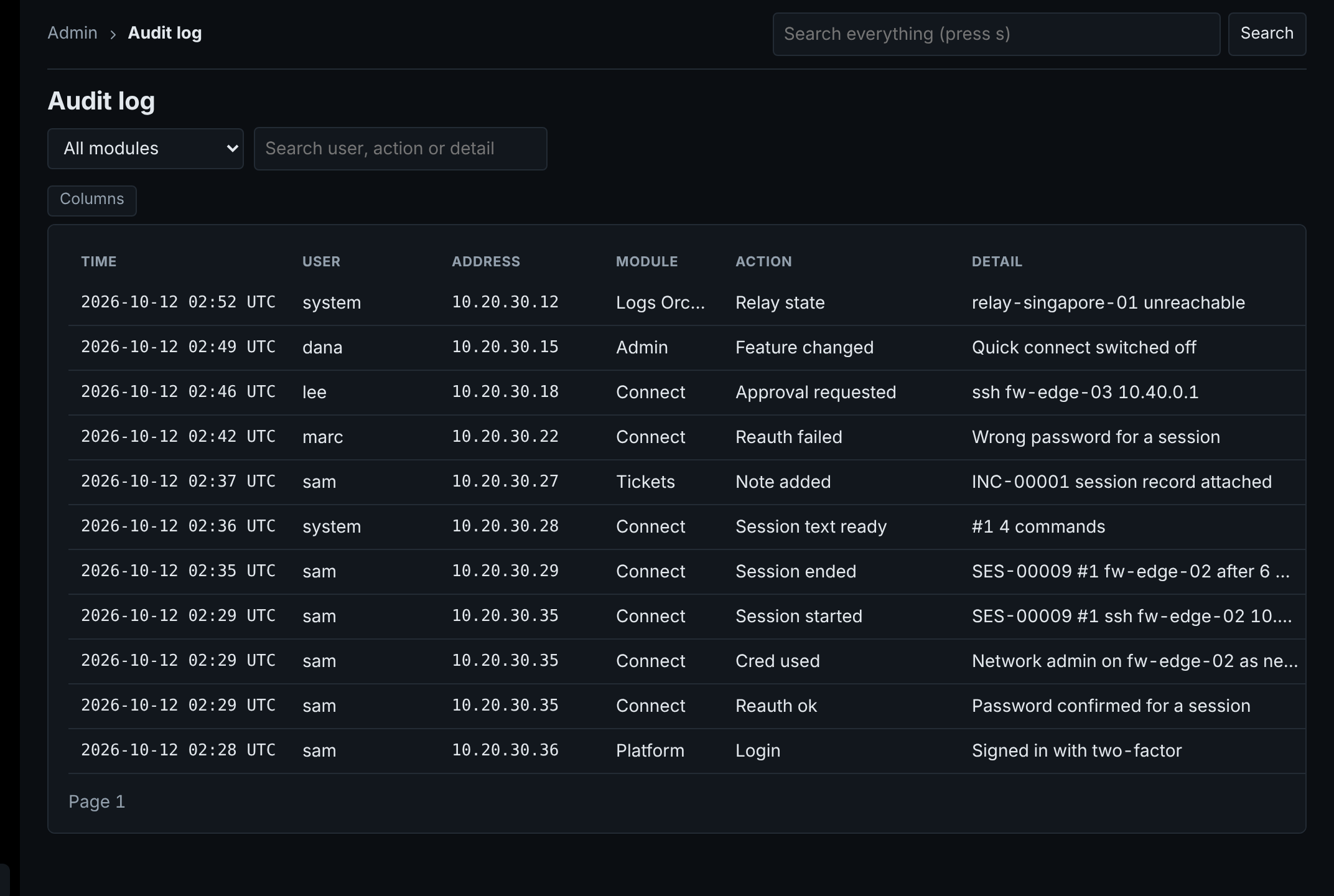
  • Plain words: Session started, Approval requested, Feature changed.
  • Filter by module or search by user, action or detail.
  • Failed attempts are on the record too.
Security alwaysISO 27001A.8.15NISTAU-2, AU-3PCI DSS10.2
Audit log in plain words, including a failed password check
ZENADMIN 2.2.0 with sample data. Click to enlarge.
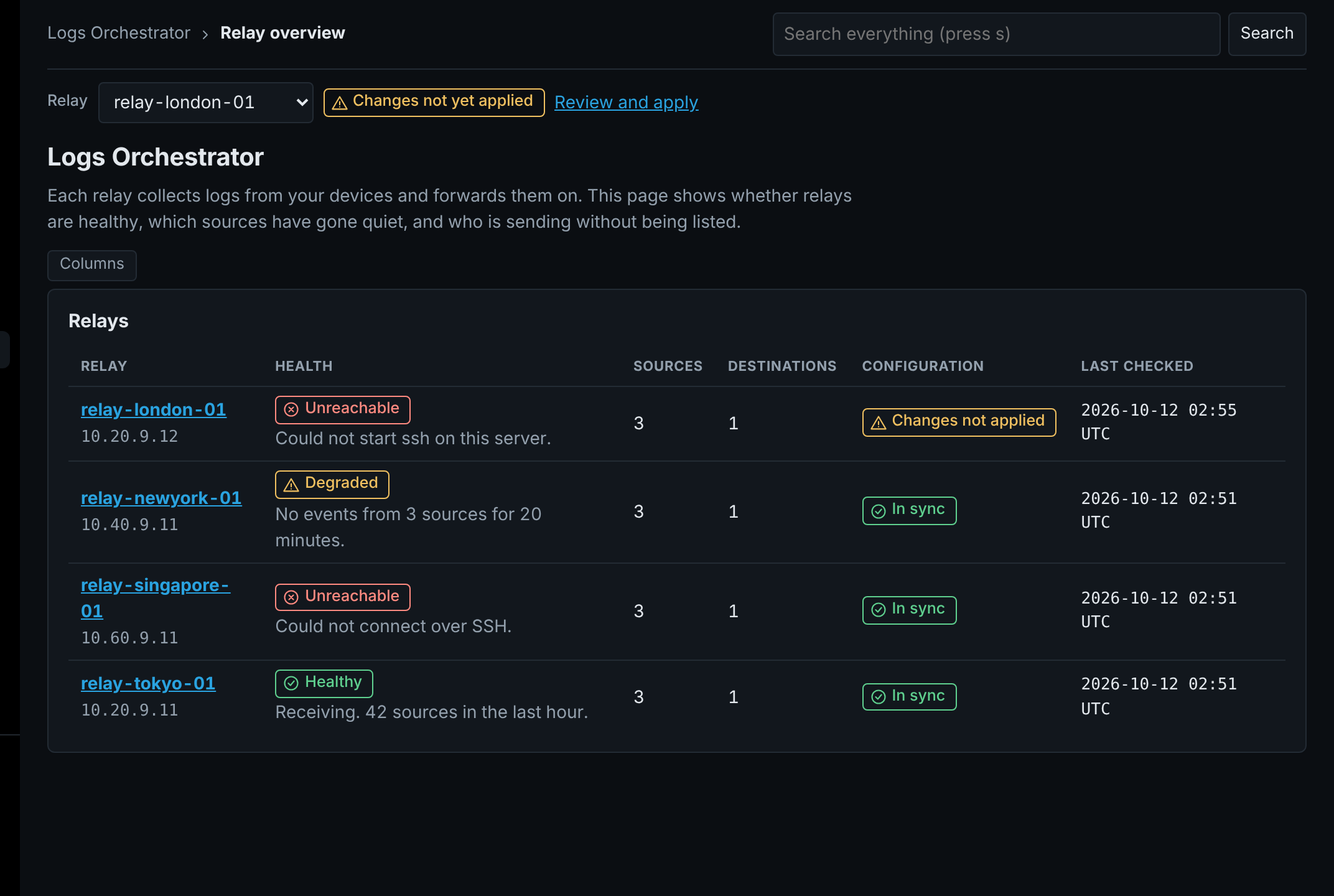
Business first: problems found early

Know when
logs go quiet.

  • Every relay is marked healthy, degraded or unreachable.
  • Sources that stop sending are called out.
  • Changes not yet applied are flagged for review.
Security alwaysISO 27001A.8.16NISTSI-4, AU-6CIS8.9
Relay overview with healthy, degraded and unreachable relays and one with changes not applied
ZENADMIN 2.2.0 with sample data. Click to enlarge.
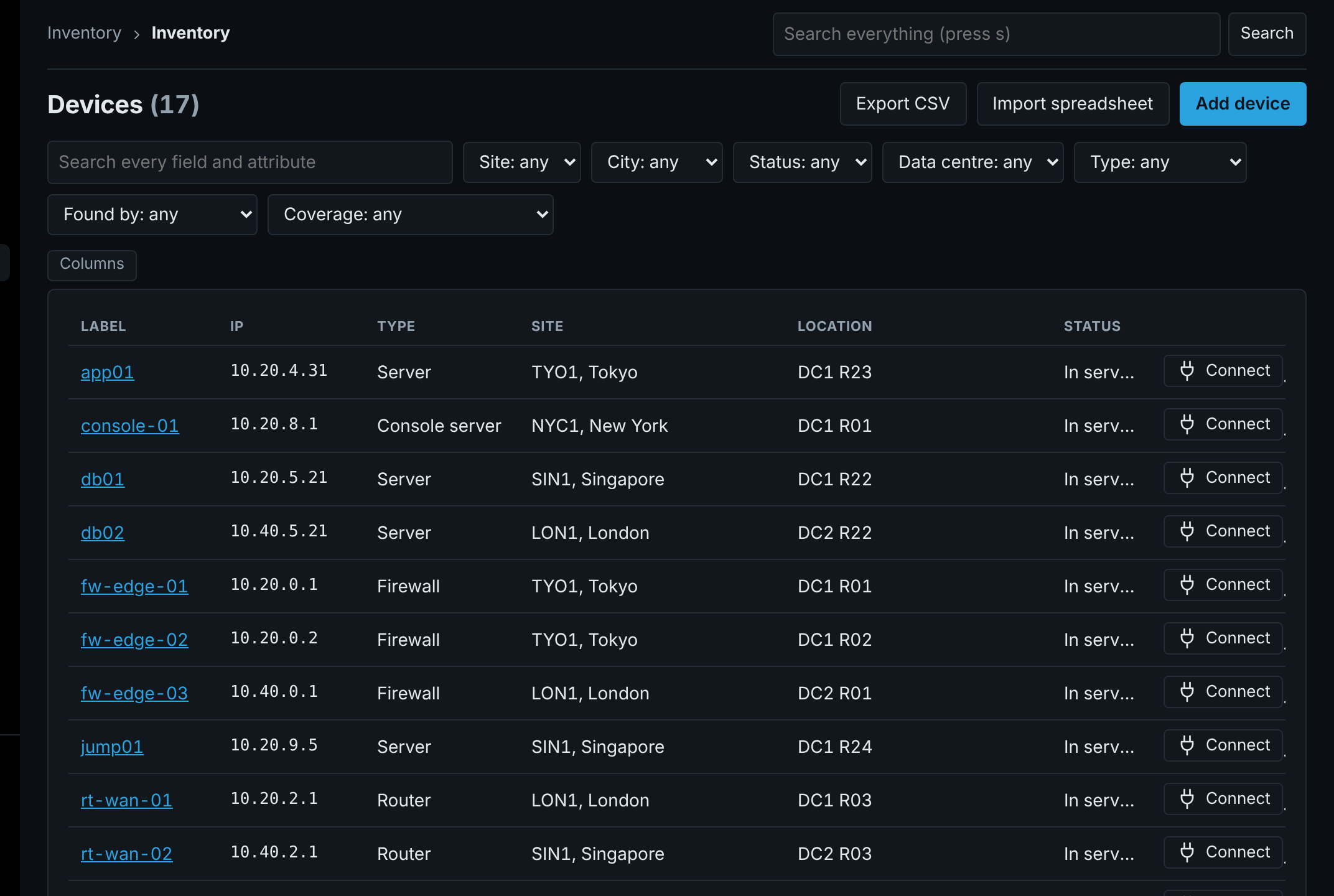
Business first: no spreadsheets

One list
of everything.

  • Every device on one line: address, type, site and rack.
  • Filter by site, city, status, data centre or type.
  • Connect from any row.
Security alwaysISO 27001A.5.9NISTCM-8CIS1.1
Device list with filters and a Connect button on each row
ZENADMIN 2.2.0 with sample data. Click to enlarge.
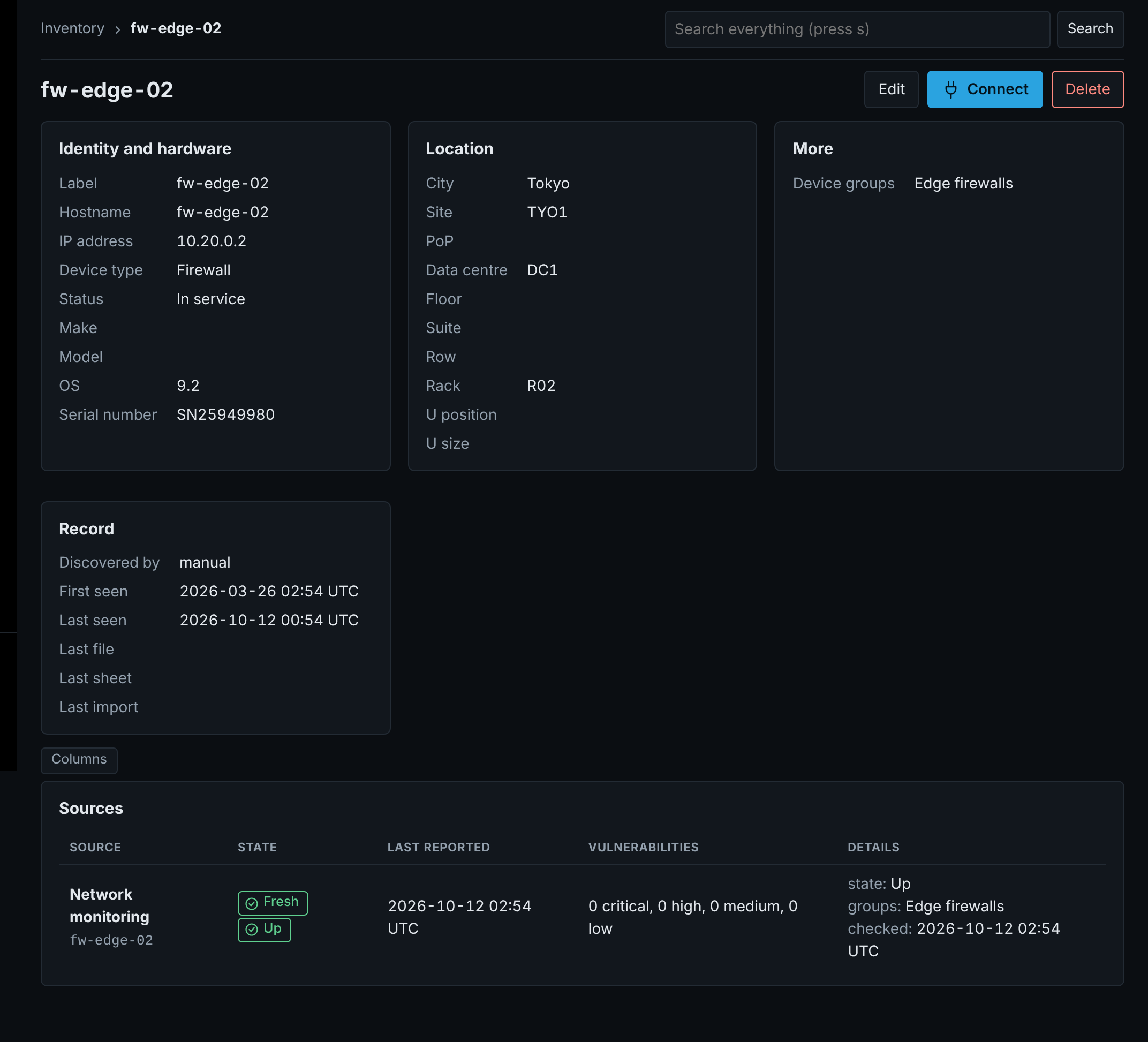
Business first: know what is up

Up, down
or warning.

  • Devices found by your existing 3rd party monitoring.
  • Monitoring state shows on each device page.
  • Each source is marked fresh or stale. Nothing is deleted.
Security alwaysISO 27001A.5.9, A.8.16NISTCM-8CIS1.1
Device page with its details and a monitoring source showing Fresh and Up
ZENADMIN 2.2.0 with sample data. Click to enlarge.
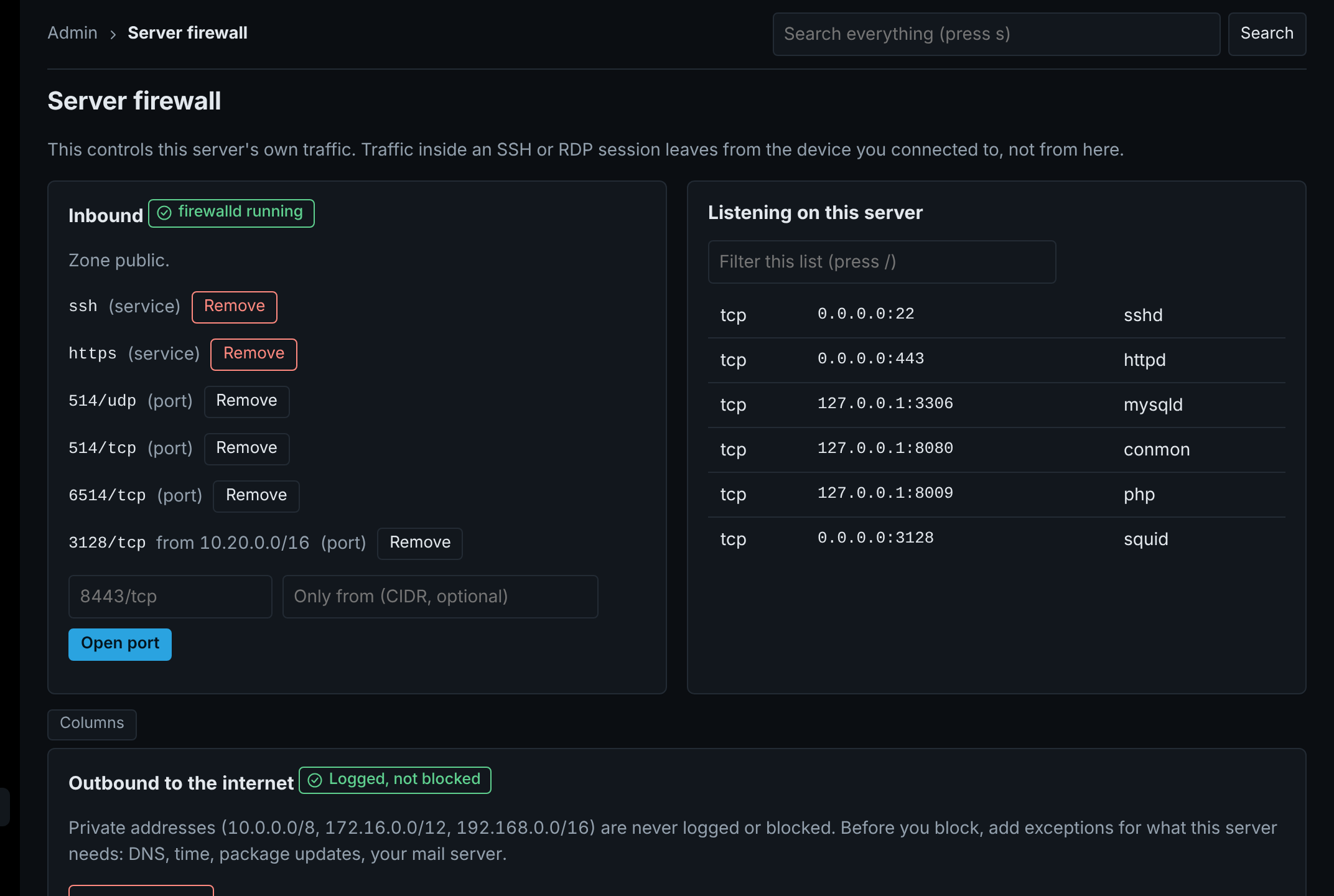
Business first: one less tool

The server
guards itself.

  • Inbound ports and services opened and closed from the page.
  • Everything listening on the server, with its process.
  • Outbound internet logged first, blocked when you are ready.
Security alwaysISO 27001A.8.20NISTSC-7CIS4.4
Server firewall page with inbound rules, listening services and outbound logging
ZENADMIN 2.2.0 with sample data. Click to enlarge.
Business first: fits how you work

You set
the rules.

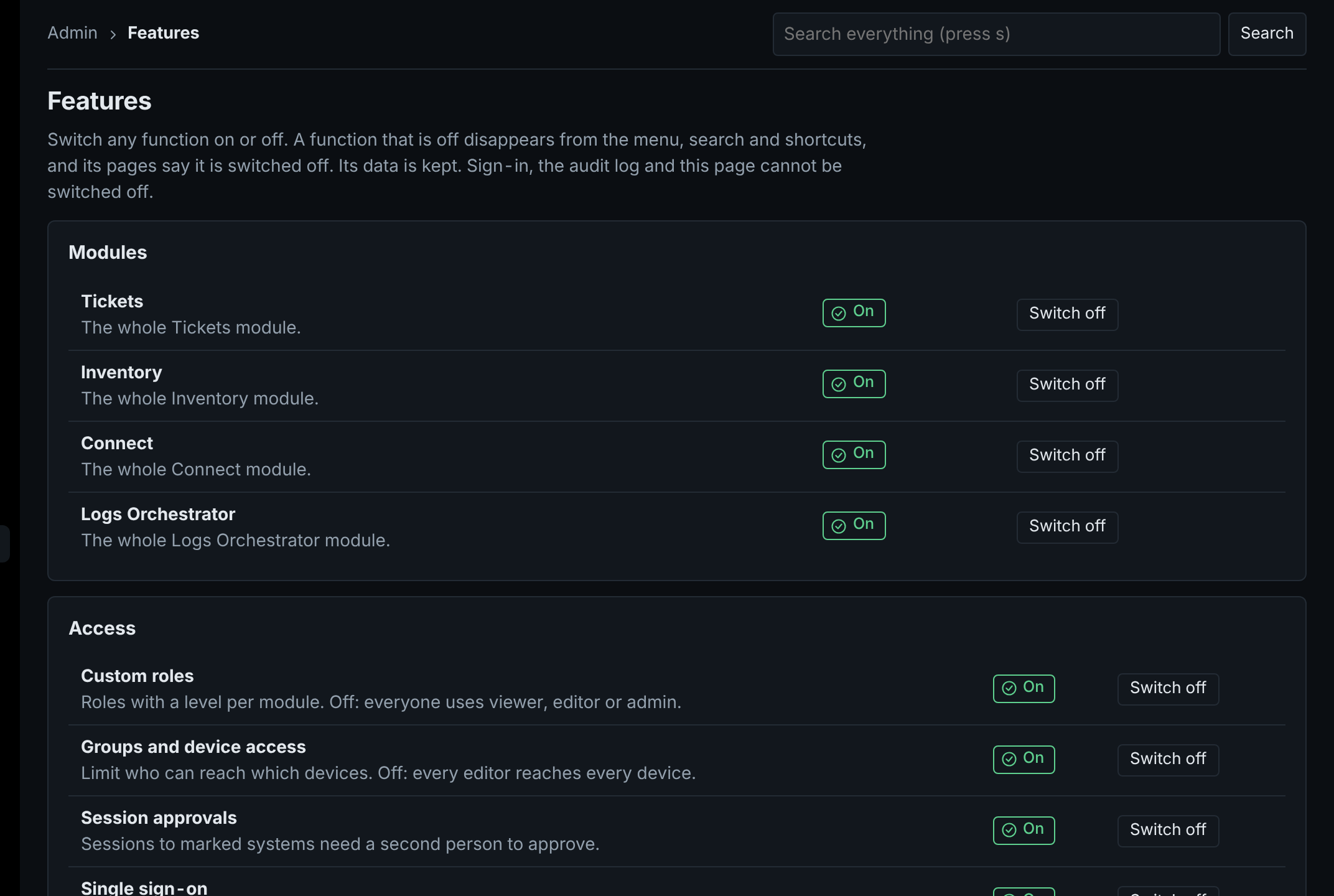
  • Switch any module on or off.
  • Custom roles, device groups and session approvals are switches too.
  • Sign-in and the audit log cannot be switched off.
Security alwaysISO 27001A.5.15, A.5.18NISTAC-2, AC-3CIS6.8
Features page with on and off switches for modules and access functions
ZENADMIN 2.2.0 with sample data. Click to enlarge.
Security always: access

Access that
ends on its own.

Time-boxed access

Grant access for a set time. It ends by itself, with no one to remember.

Access reviews

Owners confirm who still needs access, on a schedule, and every answer is kept.

Password rotation

Stored device passwords change on a schedule and after each use.

Security always: sessions

Control inside
the session.

Command alerts and blocks

Risky commands are flagged or stopped as they are typed.

File transfer

Move files to and from the device, recorded with the session.

More protocols

More ways to connect, all from the same Connect box.

Security always: evidence

Proof that
holds up.

Tamper-proof audit log

Entries cannot be changed or removed without it showing.

Device change history

See what changed on each device, when, and by whom.

Log search

Search the logs your relays collect, without leaving ZENADMIN.

Business first: fits your stack

Works with what
you already run.

API for everything

Anything you can do on screen, you can do through the API.

SAML sign-on

Sign in through your identity provider with SAML as well as the existing option.

Cloud inventory

Devices in your cloud accounts join the same device list.

Business first: logs

Logs go where
you already look.

Any mix of destinations

Forward to syslog and to your existing 3rd party log platforms, up to eight per relay.

Collectors on the relay

Run your existing 3rd party collectors beside the relay, fed a copy of everything.

Tested in one click

Each destination is tested from the relay, and dropped events show in system health.

Security always

Evidence,
ready when asked.

◆ISO 27001:2022◆NIST 800-53◆CIS Controls v8◆PCI DSS v4.0◆SOC 2

ZENADMIN gives you the mechanism and the evidence. It does not certify you. Confirm each control against your own scope with your auditor.

Free to use

Free software.
Expert help.

ZENADMIN

Every module and every feature, on one server or many. Free to use.

  • Tickets, Inventory, Connect and Logs Orchestrator
  • Two-factor sign-in, approvals, recording and the audit log
  • Updates by uploading one file

Setup consultation

Up and running fast, set up the right way the first time.

  • Plan the layout: one server or separate servers by role
  • Install and connect your sign-in and your existing 3rd party solutions
  • Load your devices and set roles, groups and approvals
⚙ Book a consultation

Enterprise support

A team to call when ZENADMIN runs work that matters.

  • A named contact who knows your setup
  • Priority answers when something goes wrong
  • Help planning and applying each update
✚ Ask about support
Contact

Talk to us.

✉ Contact us